
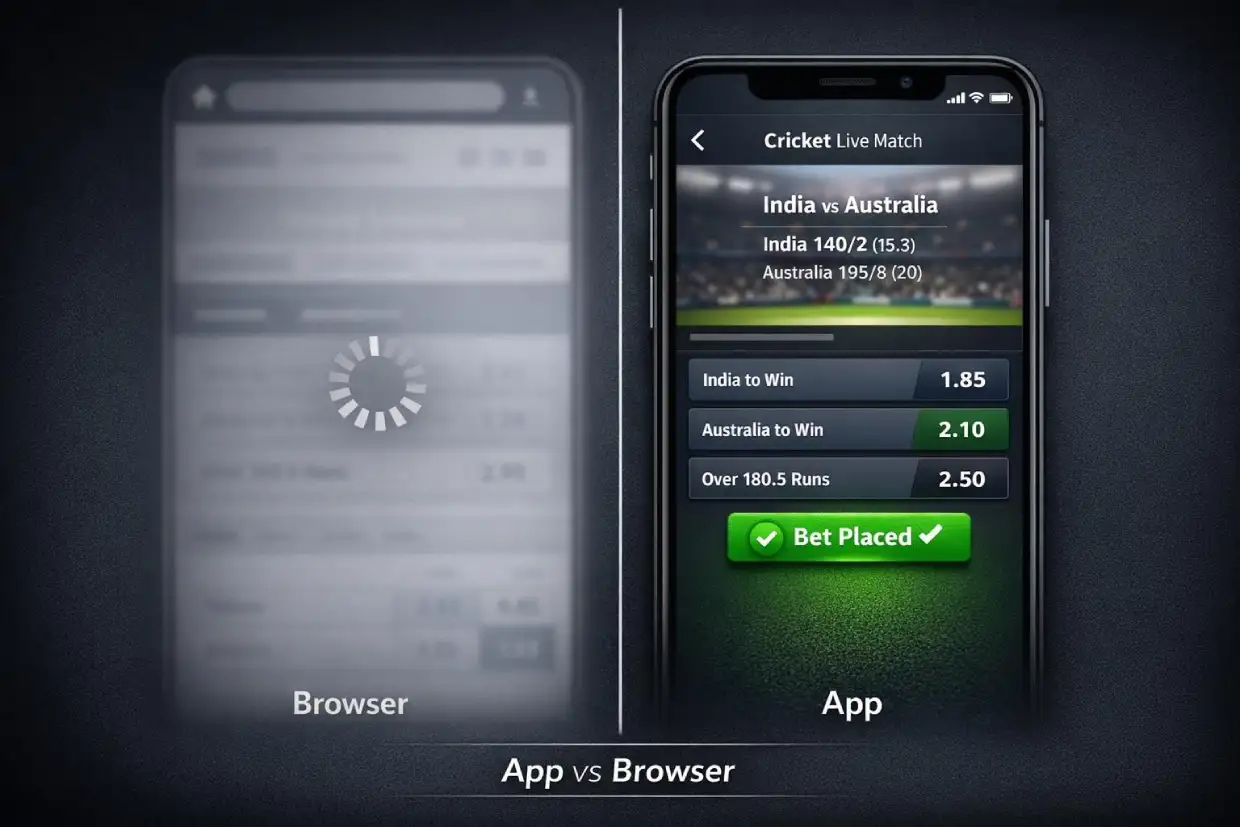
There is one reason the Laser247 app exists: faster execution inside live exchange markets. Browser access works fine for casual browsing. But when you’re flipping positions mid-over during an IPL knockout, the app on www.Laser247exch.vip delivers noticeably tighter performance on every single tap.
- Quicker page loads
- Smoother live market refresh
- Faster bet confirmation
- Steadier connections during peak traffic
If you already have your betting ID, the app is the fastest route into live markets on Laser247exch.vip. No ID yet? Setup takes just minutes through WhatsApp.
Getting the Laser247 App via www.Laser247exch.vip
You won’t find the Laser247 app on Google Play or the Apple App Store. That’s intentional. Distribution is handled privately through the Laser247exch.vip support team once your betting ID is approved and your account is verified.
Once your account is live, the rest is straightforward:
- The official APK download link is delivered directly through WhatsApp
- Clear installation steps come included with the link
- Your login credentials remain identical across app and browser
- One account, one wallet, one set of open positions — no duplication anywhere
This private distribution method keeps the app secure and tightly controlled. No third-party uploads circulating online. No tampered builds from unknown sources. Just the official APK from www.Laser247exch.vip handed to verified users who have completed the ID process.
The broader exchange structure and platform logic is covered on the Laser247 homepage. The app itself is focused entirely on giving you faster access to those same markets.
Step-by-Step Android Installation
The whole setup wraps up in just a few minutes. No complicated process, no developer tools required.
- Receive the official APK link from Laser247exch.vip support via WhatsApp
- Tap the link to download the APK file to your Android device
- If prompted, allow installation from external sources in your device settings — this is a standard one-time permission for apps distributed outside the Play Store
- Once downloaded, open the file and tap Install
- Launch the app and log in using the User ID and password issued with your betting account
That’s the entire process. You’re now inside the same exchange dashboard you’d see in the browser — same wallet balance, same live markets, same open positions — running through a quicker, more responsive native interface built for mobile-first use.
Having login trouble after installation? Common issues like accidental spacing, case sensitivity errors, and session timeouts are all covered in the Laser247 login guide.
Where the Laser247 App Outperforms Browser Access
Exchange odds don’t wait for anyone. During high-action stretches like T20 powerplays, death overs, or sudden wicket clusters, prices on www.Laser247exch.vip shift within seconds. The app is engineered specifically for those pressure moments.
Here’s where the app pulls ahead of a mobile browser:
- Page reload delays — The app skips full page reloads entirely. Market data streams continuously rather than refreshing in chunks.
- Market freeze moments — During peak traffic on major match nights, browsers can hang. The app holds a steadier connection to live data throughout.
- Bet placement lag — The gap between tapping “place bet” and receiving confirmation is shorter on the app. In fast-moving markets, that gap is meaningful.
- Session stability — Browser tabs can time out, lose focus, or crash during long sessions. The app maintains your session far more dependably.
For users who actively trade positions — opening and closing multiple bets across a single innings — that gain in responsiveness can be the difference between catching a price and watching it slip away.
Browser access is perfectly adequate for checking odds, reviewing history, or placing pre-match bets. But if you’re regularly working inside live exchange markets, the app is the sharper tool.
App vs Browser — Performance Side by Side on Laser247exch.vip
| Feature | Laser247 App | Browser Access |
|---|---|---|
| Page reload speed | Continuous streaming, no full reloads | Full page refreshes under load |
| Market refresh rate | Consistent, even during peaks | Can lag during high traffic |
| Bet confirmation speed | Near-instant | Slight delay under pressure |
| Order matching stability | Smooth throughout sessions | May stutter during traffic spikes |
| Session persistence | Reliable, holds connection well | Can time out or lose focus |
| Live trading suitability | Purpose-built for it | Adequate for light use |
| Pre-match betting | Works well | Works well |
| Account management | Full access | Full access |
The pattern is clear. For anything involving live, in-play exchange trading — especially through cricket — the app gives you a measurable advantage. For everything else, browser and app perform at a similar level.
Device Compatibility and Connection Tips on www.Laser247exch.vip
The Laser247 app is optimised primarily for Android devices. Both mid-range and higher-performance smartphones run it cleanly. You don’t need a flagship model — a stable connection matters more than raw processing power.
Recommended setup:
- Android 8.0 or higher
- Mid-range or better device (2GB+ RAM recommended)
- Stable 4G or 5G mobile connection
- Or reliable Wi-Fi with consistent speed
Habits that improve performance:
- Close unnecessary background apps before opening Laser247 — this frees up memory and processing capacity
- Avoid switching between Wi-Fi and mobile data mid-session — that can disrupt active positions and trigger order confirmation delays
- Charge your device ahead of major match events — you don’t want it dying in the middle of a live trade
- Avoid VPNs that throttle connection speed — exchange markets need clean, fast data flow
- Keep your screen active during live trading — some devices slow background processes once the screen locks
Nothing complicated here. Small habits that keep your connection solid when it counts most.
App Stability During IPL and Major Cricket Tournaments
Big events put serious strain on every betting platform. IPL playoff nights, India vs Pakistan fixtures in any format, World Cup knockout rounds — these are the moments when traffic spikes sharply and many platforms start to struggle.
Laser247exch.vip is built to absorb that load. The mobile app handles peak traffic more efficiently than browser access during these high-pressure periods.
What the app delivers during major events:
- Smoother order matching even when thousands of users are active simultaneously
- More consistent market refresh rates through the highest-liquidity periods of any match
- Reduced lag during rapid price movements following wickets, boundaries, and over completions
- Stable session persistence so you don’t get knocked offline in the middle of an active trade
If you’ve experienced frustrating delays or freezes on other platforms during big cricket fixtures, the Laser247 app is purpose-built to avoid exactly that.
Keeping Your Laser247 App Access Secure on Laser247exch.vip
Security inside the Laser247 app mirrors the same credential structure as the browser login. Your User ID and password protect your account, your balance, and every open exchange position you hold.
Essential security rules:
- Never share the APK file with anyone — it is issued to you personally through www.Laser247exch.vip
- Only install from the official link supplied by support — stay well clear of third-party download sites
- Never download modified, cracked, or “enhanced” versions from unknown sources
- Keep your User ID and password strictly private at all times
- Log out of the app if someone else needs to use your device
- Don’t post screenshots of your full dashboard or wallet balance publicly
Account restricted after switching devices? That can trigger a security review. Contact Laser247 customer support through WhatsApp with your betting ID. They’ll verify your identity and restore access promptly.
Your security profile on Laser247exch.vip is anchored to your betting ID and transaction history. Keeping credentials private isn’t optional — it’s the foundation of your account safety.
Choosing Between the App and Browser
Not every user needs the app. Here’s a quick decision guide:
Download and use the app if you:
- Bet live during matches on a regular basis
- Trade positions using back and lay through active play
- Use session and fancy markets that move ball-by-ball
- Need the fastest possible bet confirmation
- Want more stable performance during IPL and major tournaments
- Prefer a dedicated mobile interface over a browser tab
Browser access on www.Laser247exch.vip works well if you:
- Mostly place pre-match bets
- Check results and account balance occasionally
- Browse odds casually without time pressure
- Would prefer not to install additional apps on your device
The app is built for active exchange users who regularly operate inside live markets. If that’s your style of betting, it’s the better option every time.
Keeping the Laser247 App Up to Date
From time to time, the Laser247exch.vip team releases updated builds of the app. These updates improve performance, address minor issues, or reinforce stability ahead of high-traffic events like IPL seasons or major international tournaments.
When a new version is available:
- You’ll receive a notification from support or see a prompt within the app itself
- Download and install the new version over the existing one
- Use the same login credentials — nothing changes on your end
- Return to betting as soon as the update is complete
Updates don’t affect your wallet balance, open positions, or betting history. Everything carries over without interruption. Don’t put off updates before major tournaments — running the latest version ensures the most optimised performance during peak traffic periods.
For the quickest exchange execution, the most responsive live match experience, and a mobile interface purpose-built for in-play trading, get the Laser247 app through www.Laser247exch.vip and step straight into your markets.ets without delay.